



imgtoimg
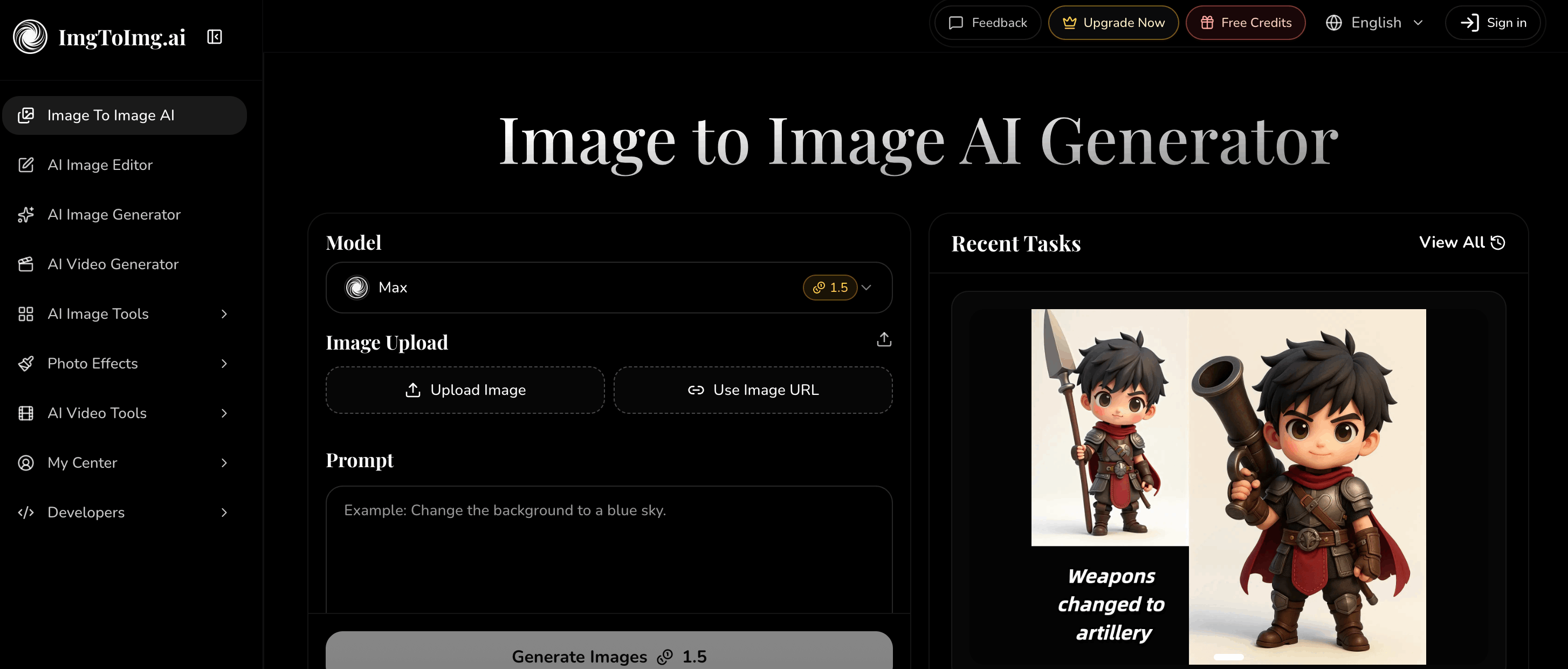
« Free AI image-to-image generator for turning your photos into new styles. »
imgtoimg.ai: A Free AI Image-to-Image Generator
imgtoimg.ai is a free AI tool focused specifically on image-to-image generation, letting users upload a photo and transform it into a new style using AI, rather than starting from a blank text prompt. The platform positions itself as a straightforward option for anyone who wants to turn an existing photo into AI-generated art, without needing design software or advanced prompting skills.
Like other image-to-image tools, imgtoimg.ai's core value is in preserving the recognizable structure of an original photo, such as a person's pose or a product's shape, while reinterpreting it in a new visual style chosen by the user.
How imgtoimg.ai Works
Upload a Photo
Users start by uploading an existing image, whether that's a personal photo, a product shot, or any other picture they want to transform.
Choose a Style or Transformation
After uploading, users select how they want the AI to reinterpret the image, generating a new version that keeps the core subject recognizable while applying a different visual treatment.
Generate and Download
Once generated, users can download the resulting AI image for use in personal or creative projects.
Key Features
imgtoimg.ai emphasizes accessibility: the tool is free to use, doesn't require extensive setup, and is aimed at users who want quick, AI-assisted image transformation without learning traditional photo editing or graphic design tools.
Pricing
imgtoimg.ai operates on a freemium basis, letting users try its core image-to-image generation for free, with the option to upgrade for expanded usage or additional features.
Who Uses imgtoimg.ai?
imgtoimg.ai tends to appeal to casual users who want to reimagine a personal photo in a new artistic style, social media users looking for a quick way to create a stylized profile picture or post, and anyone curious about AI image transformation who wants a free, low-commitment way to try it out.
Frequently Asked Questions
What does imgtoimg.ai do?
imgtoimg.ai transforms an uploaded photo into a new AI-generated image, letting users reinterpret an existing picture in a different visual style.
Is imgtoimg.ai free to use?
Yes. imgtoimg.ai offers free access to its core image-to-image generation tool, following a freemium model.
Do I need an existing photo to use imgtoimg.ai?
Yes. imgtoimg.ai is built around transforming an uploaded photo rather than generating an image purely from a text prompt.
Do I need design experience to use imgtoimg.ai?
No. The tool is designed to be simple enough for users without any design or photo-editing background.
Can I use imgtoimg.ai on mobile?
As a web-based tool, imgtoimg.ai can generally be accessed through a mobile browser in addition to desktop, though the exact experience may vary by device.
How do I contact imgtoimg.ai with questions?
imgtoimg.ai lists a direct contact email on its site for users who have questions about the platform.
imgtoimg.ai vs. Text-to-Image Tools
Unlike text-to-image generators that build a picture from scratch based only on a written prompt, imgtoimg.ai starts from an image the user already has. This makes it a better fit for people who want to keep the composition, subject, or likeness of an existing photo while changing its visual treatment, rather than generating something entirely new from a description.
Practical Use Cases
Common uses for imgtoimg.ai include restyling a portrait for a social media profile picture, reimagining a product photo with a different visual treatment for marketing, turning a casual snapshot into a more artistic image for sharing, and experimenting with different creative looks for a personal photo without needing any photo-editing skill. Because the process starts from an uploaded image, results tend to stay closer to the original subject than a purely text-generated image would.
Getting Started
New users typically visit the imgtoimg.ai website, upload a photo they want transformed, choose the style or transformation they want applied, and generate the result. Because the core tool is free, users can try the platform before deciding whether any paid upgrade fits their needs.
Strengths and Limitations
imgtoimg.ai's main strength is accessibility: it is free, simple to use, and focused on a single clear task rather than a broad suite of editing features. This makes it approachable for casual users who just want a quick transformation. At the same time, users looking for fine-grained manual control over editing, layering, or advanced compositing may find dedicated photo-editing software or more full-featured AI suites better suited to complex projects. imgtoimg.ai is best understood as a lightweight, focused tool rather than a full creative studio.
Is imgtoimg.ai suitable for professional work?
It can be useful for quick concepts, social content, or personal projects, though users with demanding professional requirements may want to evaluate its output quality against their specific needs before relying on it for client work.
What happens to uploaded photos?
As with any online image tool, users should review imgtoimg.ai's own privacy and terms information for specifics on how uploaded photos are handled and stored.
Final Thoughts
imgtoimg.ai fills a specific niche in the growing field of AI image tools: a free, dedicated image-to-image generator for people who already have a photo in hand and want to reimagine it rather than generate something from scratch. Its simplicity and no-cost entry point make it a reasonable starting point for anyone curious about AI-assisted photo transformation.
Does imgtoimg.ai require an account to start?
Account requirements can vary, so users should check the site directly to confirm what is needed to begin generating images.
What image formats does imgtoimg.ai support?
Supported upload and output formats are best confirmed on the imgtoimg.ai site itself, as tool specifications can change over time.
How is imgtoimg.ai different from similar tools?
While several AI platforms offer image transformation features as part of broader toolsets, imgtoimg.ai keeps its focus narrow, centering the entire experience around uploading a photo and generating a new image-to-image result, which can make it faster to pick up for users who only need that one function.
Overall, imgtoimg.ai offers a low-friction way for anyone with a photo on hand to explore AI-driven image transformation, without a steep learning curve or upfront cost.
For teams and individuals evaluating AI image tools, imgtoimg.ai is worth a look specifically when the starting point is an existing photo rather than a blank prompt.
« Dall-E Free is an AI image and video generator that lets anyone create high-resolution visuals from text prompts using multiple leading AI models in one free-to-start platform. »
Compare imgtoimg vs Dall-E Free → Free« Free AI artwork generator for logos, characters, and digital art, no signup required. »
Compare imgtoimg vs BlueWillow → Free« Simple, free AI image generator that turns text prompts into pictures in seconds. »
Compare imgtoimg vs Image-Generator.com → Paid« Free AI image generator with 30+ models, used by 30M+ creators. »
Compare imgtoimg vs ImagineArt →Reviews
Log in to write a review.
No written reviews yet - be the first to share your experience.