



Sentence Counter: Count Sentences Instantly for Better Writing
2026-08-10 08:02:13
Professional writers, students, and content creators need precise metrics to evaluate their work. A sentence counter is one of the most overlooked yet powerful tools for refining how you write. Whether you're drafting a blog post, academic essay, or marketing copy, understanding your sentence structure directly impacts how readers engage with your content.
What Is a Sentence Counter Tool?
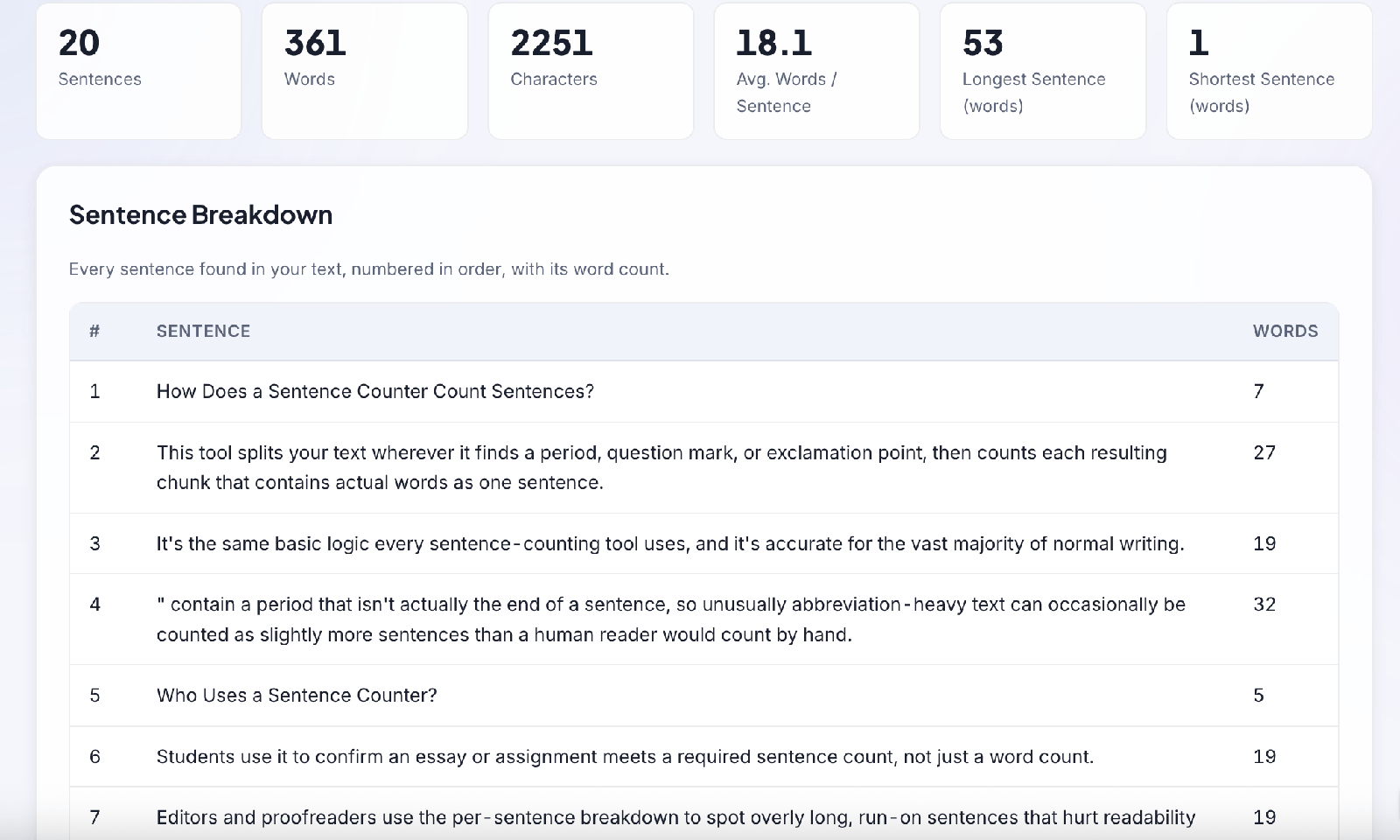
A sentence counter is a specialized text analysis tool that automatically counts the number of sentences in any written content. Unlike basic word counters that measure volume alone, sentence counting tools analyze sentence frequency and structure to reveal deeper writing patterns.
Advanced sentence counters go beyond simple counting. They identify the total number of sentences, calculate average sentence length, flag overly long or short sentences, and provide readability insights. When you paste text into a free sentence counter at SEOWebToolkits, you instantly get metrics that would take hours to calculate manually.
The accuracy matters because most sentence counters avoid common mistakes. Basic tools might split text incorrectly at abbreviations (Dr., Mrs., U.S.), decimal numbers (3.14), or URLs (www.example.com). Professional sentence counters handle these edge cases intelligently, giving you reliable results every time.
Why Sentence Count Matters for Writing Quality
Word count tells you how much you've written, but sentence count reveals how you're writing. Two articles with identical word counts can have dramatically different readability based on sentence structure alone.
Research shows that readability decreases significantly when sentences consistently exceed 25 words. Short, punchy sentences (under 15 words) feel direct and engaging. Medium sentences (15-20 words) provide detail without overwhelming readers. Longer sentences can work when they're complex, but they demand more cognitive effort.
Consider this comparison: a 500-word essay with 30 sentences feels fast-paced and gripping. The same 500-word essay with 15 sentences feels dense and sluggish. The word count is identical, but the reading experience differs dramatically.
Professional writers use sentence counting to maintain variety. Monotonous writing uses the same sentence length repeatedly, creating a boring rhythm. By tracking sentence metrics, you can consciously vary your structure—alternating short, punchy sentences with longer, detailed ones. This creates rhythm and keeps readers engaged.
How to Use a Free Sentence Counter Effectively
Getting started with SEOWebToolkits' sentence counter takes seconds. Paste your text into the input box, and the tool instantly displays sentence count along with related metrics including word count, character count, and paragraph count.
Look for these key metrics when analyzing your writing:
- Total Sentence Count reveals how many discrete ideas you've expressed. Academic papers often specify minimum sentence counts (e.g., "at least 50 sentences"), making this metric essential for assignments.
- Average Sentence Length shows your typical sentence size in words. For general audiences, aim for 15-20 words per sentence. Academic writing can handle 20-25 words. Marketing copy works best under 15 words.
- Longest and Shortest Sentences identify extremes in your structure. If your longest sentence exceeds 50 words, it probably needs breaking into smaller units.
- Sentence Variability shows whether your sentences follow a predictable pattern or mix lengths naturally. Higher variability indicates more engaging prose.
Many writers pair a sentence counter with a word counter tool to get comprehensive metrics. While sentence counting focuses on structure, word counting focuses on volume. Using both tools together provides a complete picture of your writing profile.
Common Sentence Counting Mistakes to Avoid
Manual sentence counting introduces errors, especially with lengthy documents. Automated tools eliminate this problem, but you should understand common edge cases:
- Abbreviations frequently trip up basic counters. "Dr. Smith said hello" contains one sentence, not two. Professional counters recognize that "Dr." is an abbreviation, not a sentence ending.
- Ellipses and unusual punctuation complicate counting. "What?! Really?? Seriously..." contains three sentences because each punctuation block closes a distinct unit.
- Quotation marks can confuse simple counters when dialogue ends with punctuation inside quotes. Professional tools handle this correctly.
- Decimal numbers and URLs cause false splits in basic tools. "The pH was 3.14" or "Visit www.site.com for details" shouldn't increase sentence count.
Using a reliable sentence counter like those at SEOWebToolkits eliminates these common mistakes automatically.
Sentence Counter Applications Across Different Writing Contexts
- Academic Writing: Students use sentence counters to meet assignment requirements. Some professors assign essays with specific sentence counts (50-75 sentences) because this metric is harder to game than word count.
- Content Marketing: Marketers use sentence analysis to optimize readability. Blog posts with varied sentence length rank better on search engines.
- Email and Social Copy: Character-limited formats require sentence discipline. Twitter's 280-character limit demands maximum clarity. Email subject lines need punchy, single-sentence impact.
- Fiction and Creative Writing: Authors use sentence counting to pace narrative. Novelists count sentences to control pacing and maintain character voice consistency.
- Professional Communication: Emails, reports, and proposals benefit from sentence analysis. Overly long sentences confuse readers and damage professional credibility.
Why Free Sentence Counters Beat Manual Counting
Before automated tools, writers manually counted periods to determine sentence frequency. This approach introduced errors, consumed time, and slowed the editing process. Modern free sentence counters eliminate this friction entirely.
Automation also enables real-time feedback. As you type or paste text, sentence metrics update instantly, letting you see how changes affect readability without publishing first. This immediacy supports better writing decisions.
Batch analysis is another advantage. Need to analyze 10 blog posts for consistency? Paste each into a sentence counter and compare average sentence lengths in minutes rather than hours.
Conclusion
Your sentence structure shapes how readers experience your writing. A free sentence counter tool transforms this invisible element into measurable data you can optimize deliberately. Whether you're refining academic work, creating marketing content, or perfecting professional communication, tracking sentence metrics elevates your writing quality significantly.
Start by analyzing your current writing with a sentence counter. Most writers are surprised by what they discover—patterns they didn't notice, opportunities to improve readability, and unexpected variations that hurt engagement. Armed with this data, you can make targeted improvements that pay dividends with every reader.
Reviews
Log in to write a review.
No written reviews yet - be the first to share your thoughts.